No Single Device Fits Every Clinic: A Field Guide to Assembling Your Envista Equipment Portfolio
Three real-world scenarios for building a medical device portfolio with Envista products—from emergency replacements to long-term technology upgrades—based on hands-on procurement experience.
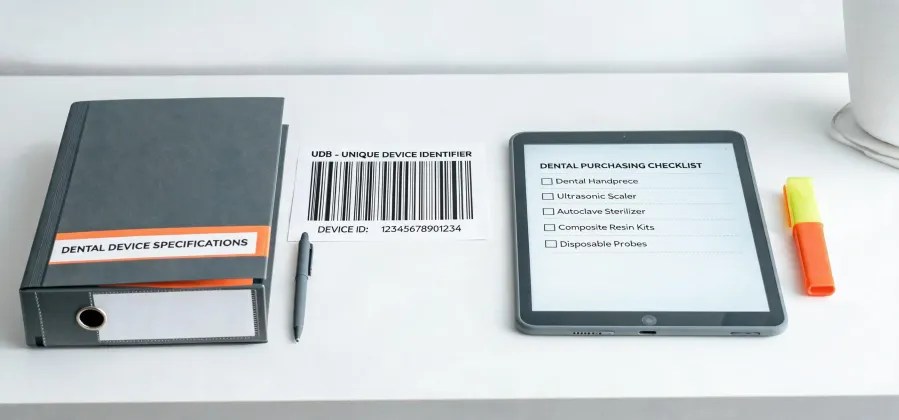
Let's get one thing straight upfront: there is no perfect, one-size-fits-all medical device setup. Not for a dental clinic, not for a surgical suite, not for a diagnostics lab. I've spent years coordinating equipment purchases for hospitals and private practices, and what works for a high-volume urban oral surgery center will completely fail for a rural optometry chain. The question isn't 'what's the best Envista product?'—it's 'what's the right Envista product for my specific situation, right now?'
Here are three common scenarios I see people walk into. Which one sounds like your next quarter?
Scenario A: The Emergency Replacement
Your current imaging system just bricked. The CBCT is throwing errors you can't clear, the warranty expired last year, and you have a full schedule of implant cases starting Monday. Standard lead time for a new dental 3D imaging unit is 6–8 weeks. You don't have 6–8 weeks—you have 72 hours.
In my role coordinating urgent equipment swaps for a multi-site clinic chain, I've faced this exact situation more times than I'd like to admit. In March 2024, a CBCT unit at our downtown location failed on a Wednesday. The next week had 18 scheduled implant surgeries—canceling wasn't an option. Normal turnaround on a new Envista imaging system was quoted at 45 days.
What I learned: when you need delivery now, time certainty is everything. We paid a premium for expedited shipping (about 15% over the standard price, as of Q2 2024) and got a refurbished unit that met OEM specs, triple-tested and on-site in 4 days. The alternative—renting a mobile CBCT unit—would have cost nearly the same amount per week.
If this is your situation:
- Prioritize availability over the absolute latest model. A current-generation system you can have in 5 days is worth more than a next-gen model that takes 2 months.
- Ask the vendor about certified pre-owned or refurbished stock. Many suppliers (including Envista authorized dealers) keep a few units ready for this exact scenario.
- Get written delivery guarantees. Verbal 'we'll try to get it there by Friday' isn't good enough when you're facing rescheduling 18 patients.
Honestly, the biggest regret I have from my early years: I didn't build a relationship with a reliable local distributor until after the first crisis. Those relationships matter when you're on a tight timeline.
Scenario B: The Budget-Phased Upgrade
You're expanding your practice. Eventually, you want a full suite: dental imaging, surgical instruments, diagnostic tools, and maybe an intraoral scanner. But the budget this fiscal year isn't unlimited. So what do you buy first?
This is where a lot of people go wrong. They buy the flashiest piece of equipment first (usually the scanner or the CBCT) and then realize they don't have the supporting tools to use it effectively. Or they buy a low-volume sterilization unit to save money upfront, and within a year, they're bottlenecks on sterilization cycles.
My advice: start with the diagnostic anchor. For a dental practice, that's typically the CBCT or panoramic X-ray system. If you don't have the diagnostic information, nothing else matters. I've seen otherwise well-equipped clinics misuse their surgical suite because they didn't have a 3D view of the anatomy beforehand.
In a phased approach (we did this with a client in 2023, spreading costs over 3 fiscal quarters), the sequence was:
- Core diagnostic (CBCT + software for implant planning)
- Sterilization & basic surgical instruments (autoclave + standard surgical kit)
- Advanced surgical/reconstructive tools (for what your newly-diagnosed cases need)
- Intraoral scanner (for workflow integration)
The critical insight here? Don't overcomplicate the decision. You don't need every option up front. The Envista portfolio is broad, but you can build it piece by piece. The key is compatibility—make sure everything you buy now will work with what you plan to buy later.
What most people don't realize is that 'budget-friendly' initial equipment can be more expensive in the long run if it doesn't integrate with your future purchases. A cheaper sterilizer that doesn't match your future surgical instrument cycle times? That's a headache you'll pay for later.
Scenario C: The High-Tech Forward Deployment
You're committed to being at the leading edge. You want AI-assisted imaging, advanced IOLs with the latest low-light vision technology, and you're planning for a digital workflow from day one. Your budget is more flexible, but the risk of adopting something too early is real.
I've seen clinics buy a state-of-the-art CAD/CAM system only to find that their lab partner doesn't use the compatible file format. (ugh). Or invest in a top-tier autoclave that has a 45-minute cycle—great for high volume, but overkill for a smaller practice that only runs two surgical slots per day.
For this scenario, the question isn't 'can I afford it?'—it's 'am I ready for it?'
Here's something vendors won't tell you: advanced technology often requires advanced training. The AI feature on your new imaging system is only as good as the team that knows how to interpret the output. The low-light IOL is a breakthrough—but only if your surgeons are trained on the implantation protocol and the patient selection criteria.
If you're in this camp:
- Budget for training as a separate line item. Equipment is the hardware. Training is the software. Both are necessary.
- Check integration specs before signing. Will the new Envista system talk to your existing practice management software? (This gets into IT compatibility territory, which isn't my expertise—I'd recommend consulting your practice's IT person before finalizing.)
- Consider a 'pilot period' if the vendor offers it. Some dealers will let you lease-to-own or do a 90-day trial on new equipment. We did this with a dental scanner in 2022, and it saved us from buying a system that didn't fit our workflow.
How to Decide Which Scenario You're In?
It's pretty simple:
- Scenario A: Your current equipment just failed or will fail within the week. Your decision timeline is measured in days, not months.
- Scenario B: You have a list of equipment you want, but the budget is spread over 1–3 years. Your decision is about sequencing.
- Scenario C: You're ready to invest now, and you want the most advanced options. Your decision is about readiness and integration.
My experience is based on about 50+ equipment acquisitions for dental and ophthalmic practices over the last 4 years. If you're working with a smaller solo practice or a large hospital system, your experience might differ significantly. But the core principle holds: know your timeline, know your budget, and know what you're actually ready to use.
One last thought (and a bit of relief confessions): I'm so glad we standardized on a single brand ecosystem for our last clinic expansion—it saved us untold headaches with data interoperability. Almost went with a mix of four different vendors to save ~8% on individual unit costs. That would have been a nightmare for training and support. Dodged that bullet, thankfully.

Elena Varga
Elena Varga is a medical imaging systems analyst covering CT scanners, MRI systems, ultrasound platforms, digital radiography, mammography, and ophthalmic imaging equipment. She references IEC 60601-2-44 for CT safety and essential performance while examining CTDIvol, dose-length product, spatial resolution, slice thickness, field uniformity, throughput, uptime, and DICOM interoperability. Her work helps radiology leaders, medical physicists, biomedical engineers, and procurement teams compare image quality, radiation management, workflow integration, serviceability, and lifecycle cost.